
Building a (boring) chat-BI Agent
Ju Data Engineering Weekly - Ep 91

Bonjour!
I’m Julien, freelance data engineer based in Geneva 🇨🇭.
Every week, I research and share ideas about the data engineering craft.
Not subscribed yet?
In this post, I wanted to share my experience building a chat-BI agent using BSL.
BSL is an open source Semantic Layer we built with Hussain Sultan (xorq).
It aims to be extremely lightweight — pip-installable and compatible with any analytics DB through Ibis.
Because BSL is designed to be minimal and flexible, we thought it would be pretty cool to expose it through a chat interface directly in the terminal.
Want to try it?
Choose your poison:
export OPENAI_API_KEY=sk-...
export ANTHROPIC_API_KEY=sk-ant-...
export GOOGLE_API_KEY=...
and for OpenAI run:
uvx --from "boring-semantic-layer[agent]" \
    --with langchain-openai,langchain-anthropic,duckdb \
    bsl chat --sm https://raw.githubusercontent.com/boringdata/boring-semantic-layer/main/examples/flights.yml \
    --llm openai:gpt-5.2
or Anthropic:
uvx --from "boring-semantic-layer[agent]" \
    --with langchain-openai,langchain-anthropic,duckdb \
    bsl chat --sm https://raw.githubusercontent.com/boringdata/boring-semantic-layer/main/examples/flights.yml \
    --llm anthropic:claude-opus-4-5-20251101
This post is the first in a series where I’ll share everything I’ve learned over the past few weeks while building this kind of agent.
There are three main ways to wire an LLM to your database:
Direct SQL Generation
User → LLM → SQL → DB
via MCP
User → LLM → MCP + Semantic Layer → DB
via Tools
User → LLM → LLM Tool + Semantic Layer → DB
Let’s dive in !
Option 1: Direct SQL Generation
This is the simplest approach: LLMs keep getting better at writing SQL, so you can pass them a well-crafted system prompt and let them translate user requests directly into SQL.
This works reasonably well for small and simple data models, where the number of tables and relationships is limited.
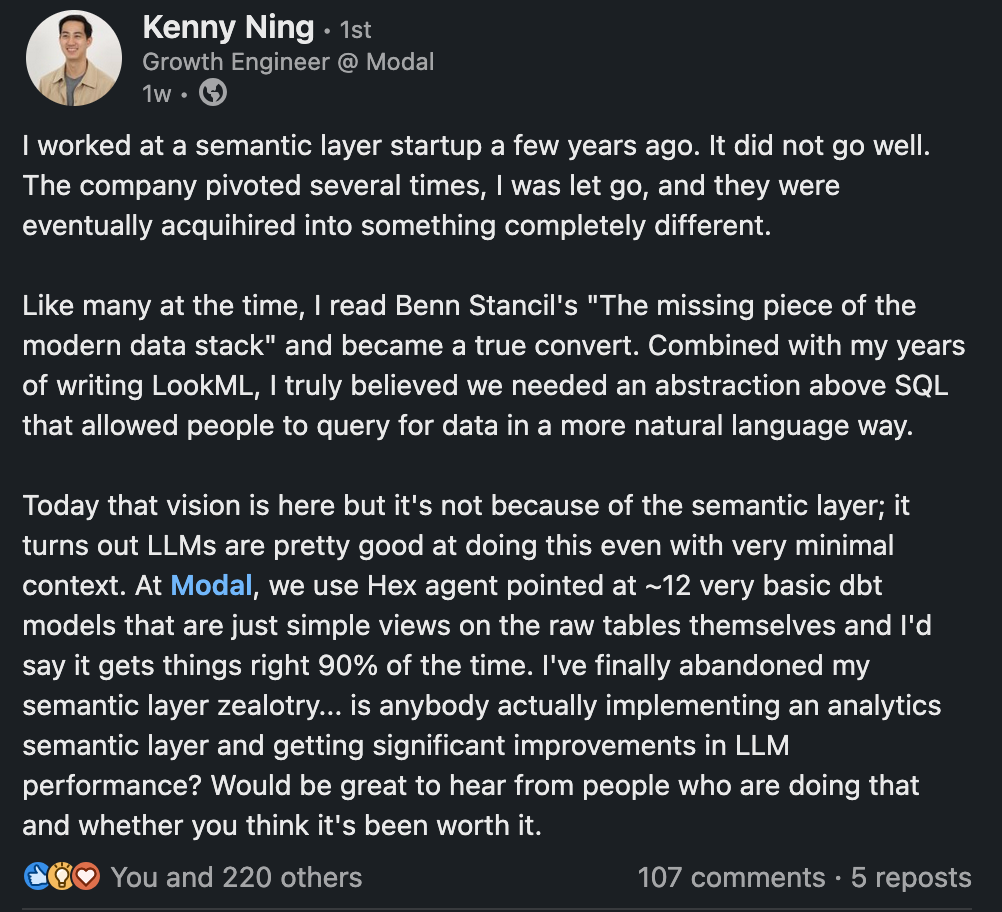
However, as your data universe grows, more and more context ends up living only in your analysts’ heads.
The LLM doesn’t have access to that implicit knowledge — so it naturally makes more mistakes.
For example, a user_id in table A may not represent the same entity as a user_id in table B, even though the column names look similar.
Without that context, the LLM confidently produces incorrect joins or misleading queries.
The more information remains implicit or hidden, the more frequently the LLM will get things wrong.
A way to reduce hallucinations is to limit the LLM’s degrees of freedom by introducing a semantic layer.
This layer defines pre-approved metrics, joins, and aggregation patterns, which the LLM can safely use.
Instead of translating natural language into complex SQL, the LLM only needs to map user intent to a small set of measures and dimensions.
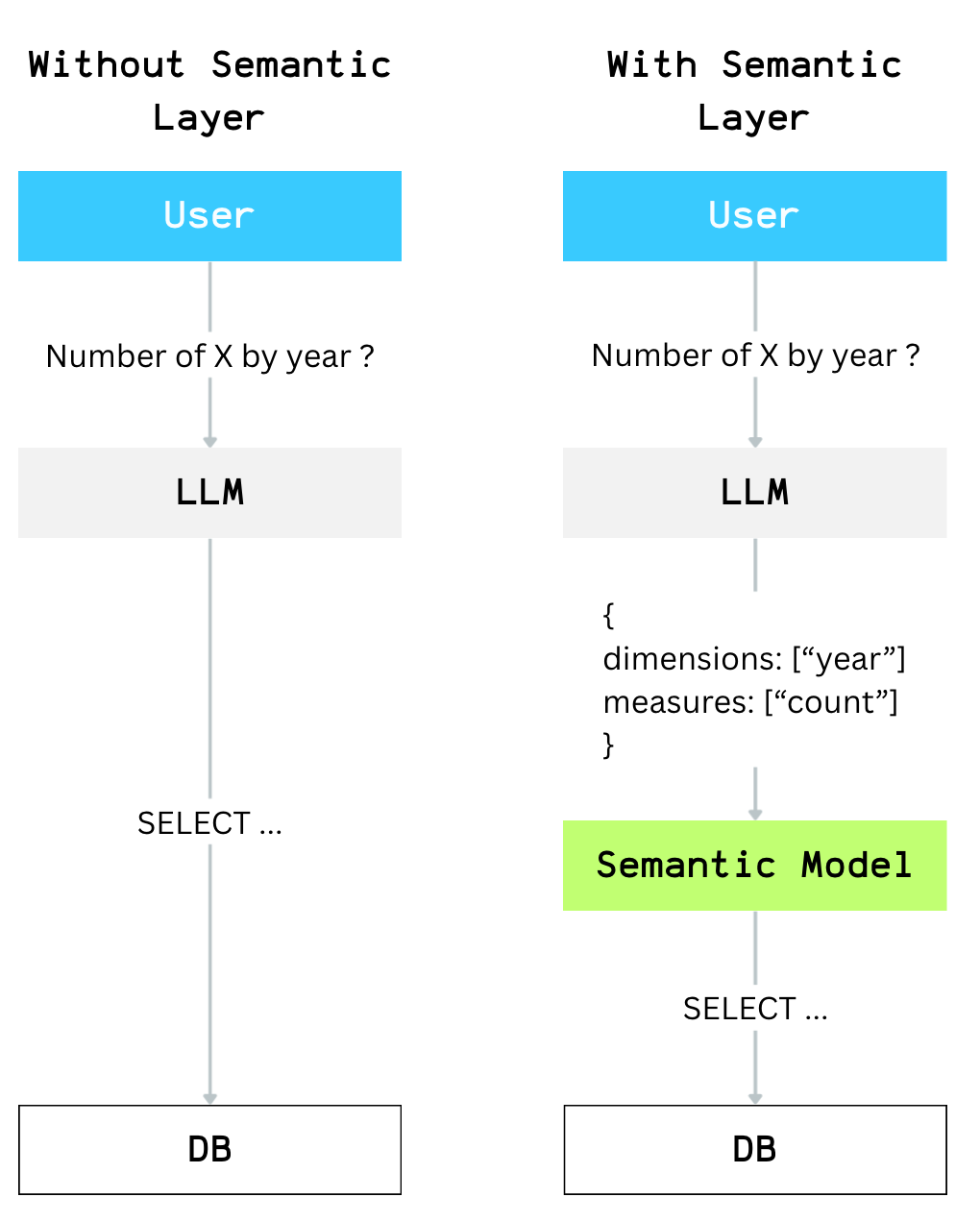
This doesn’t eliminate hallucinations entirely, but it drastically reduces syntax errors and invalid queries.
So the next question becomes: how do we give an LLM access to a semantic layer?
There are two main ways to add this capability:
MCP interface
LLM Tools
Option 2: User → LLM → MCP
MCP has been everywhere in recent months.
The idea is straightforward: expose external tools to an LLM through the new MCP protocol.
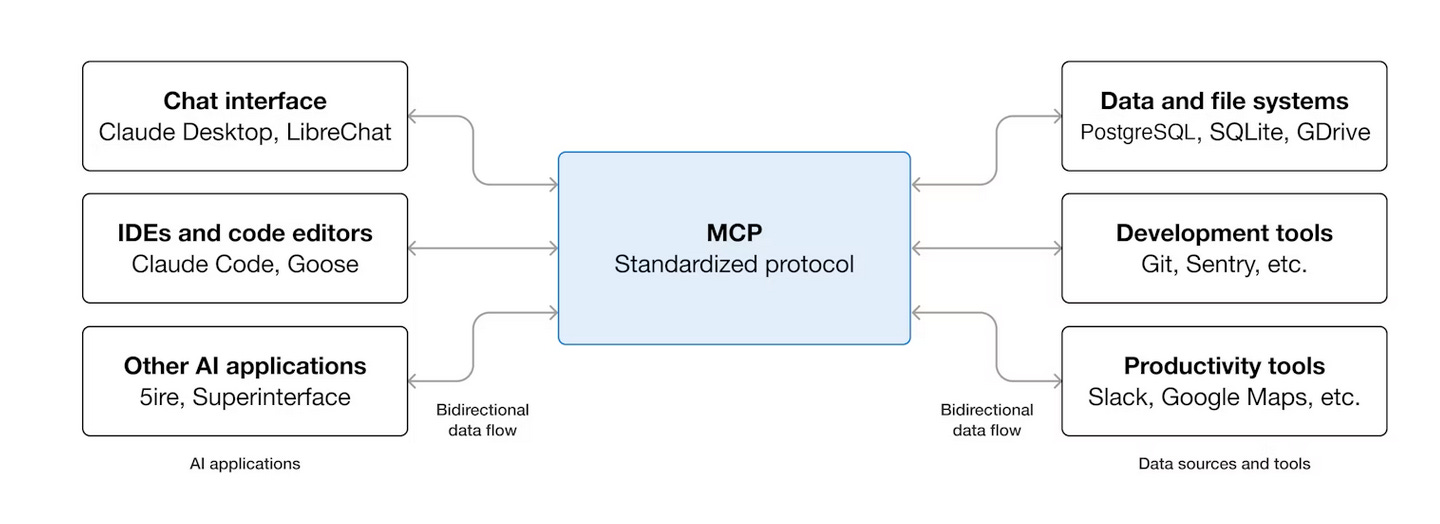
It’s a great way to give an LLM access to remote capabilities—emails, Slack, databases—and it’s already widely supported across major LLM providers.
BSL supports this via a dedicated class:
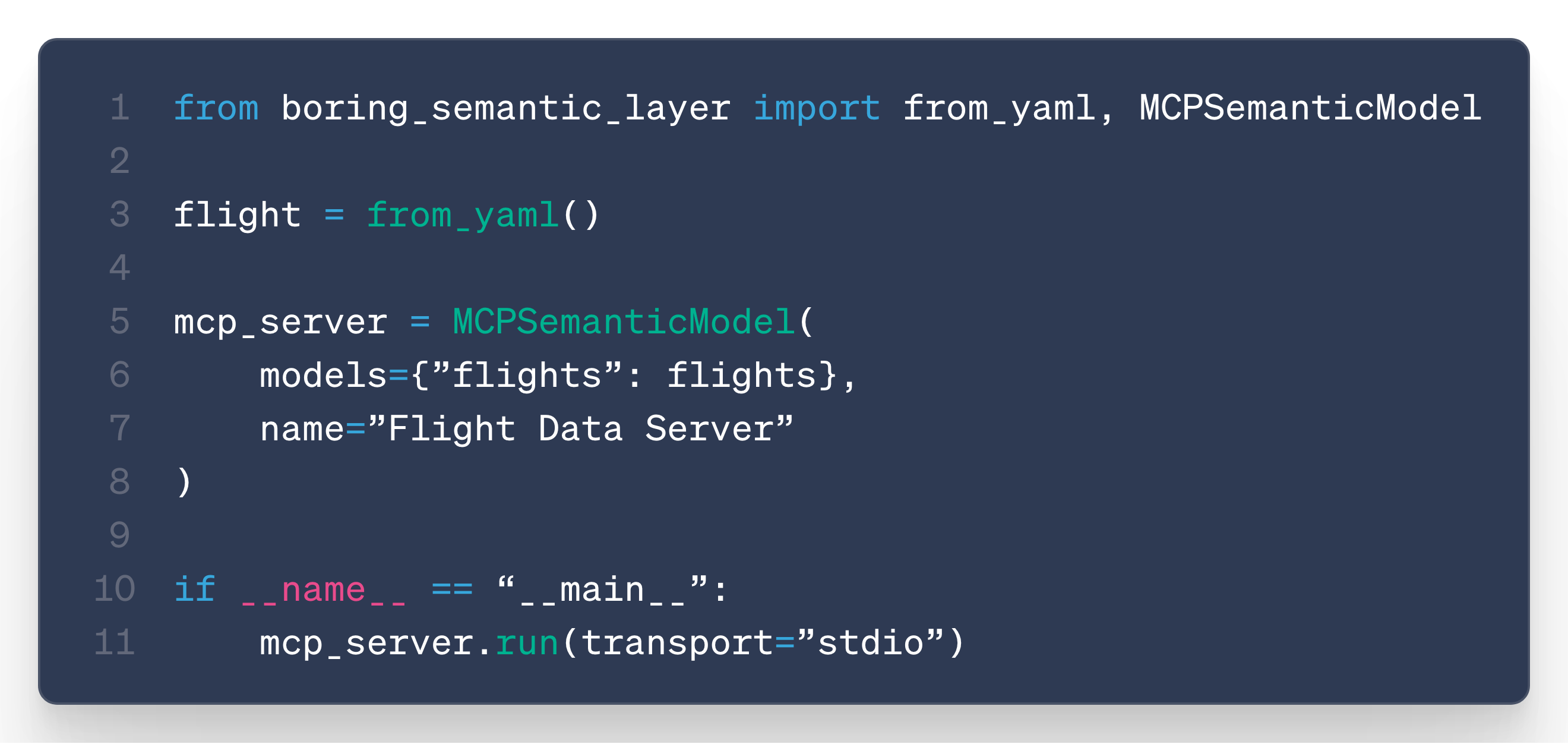
This works very well… but it requires you to host an MCP server.
And that feels unnecessarily heavy (and definitely not boring) when all you need is a simple bridge between an LLM and your database.
Option 3: User → LLM → Tool
LLM tools are another way to give models additional capabilities.
You provide the model with a description of each tool: its purpose, parameters, and usage guidelines.
The LLM then takes the user prompt and returns a list of tools to execute, along with the associated parameters.
Contrary to the MCP approach, tool execution happens directly in the environment that is calling the LLM, not through a remote server.
Local coding agents use this pattern extensively.
Claude Code, for example, is essentially an LLM combined with a set of tools for searching, reading, and editing files.
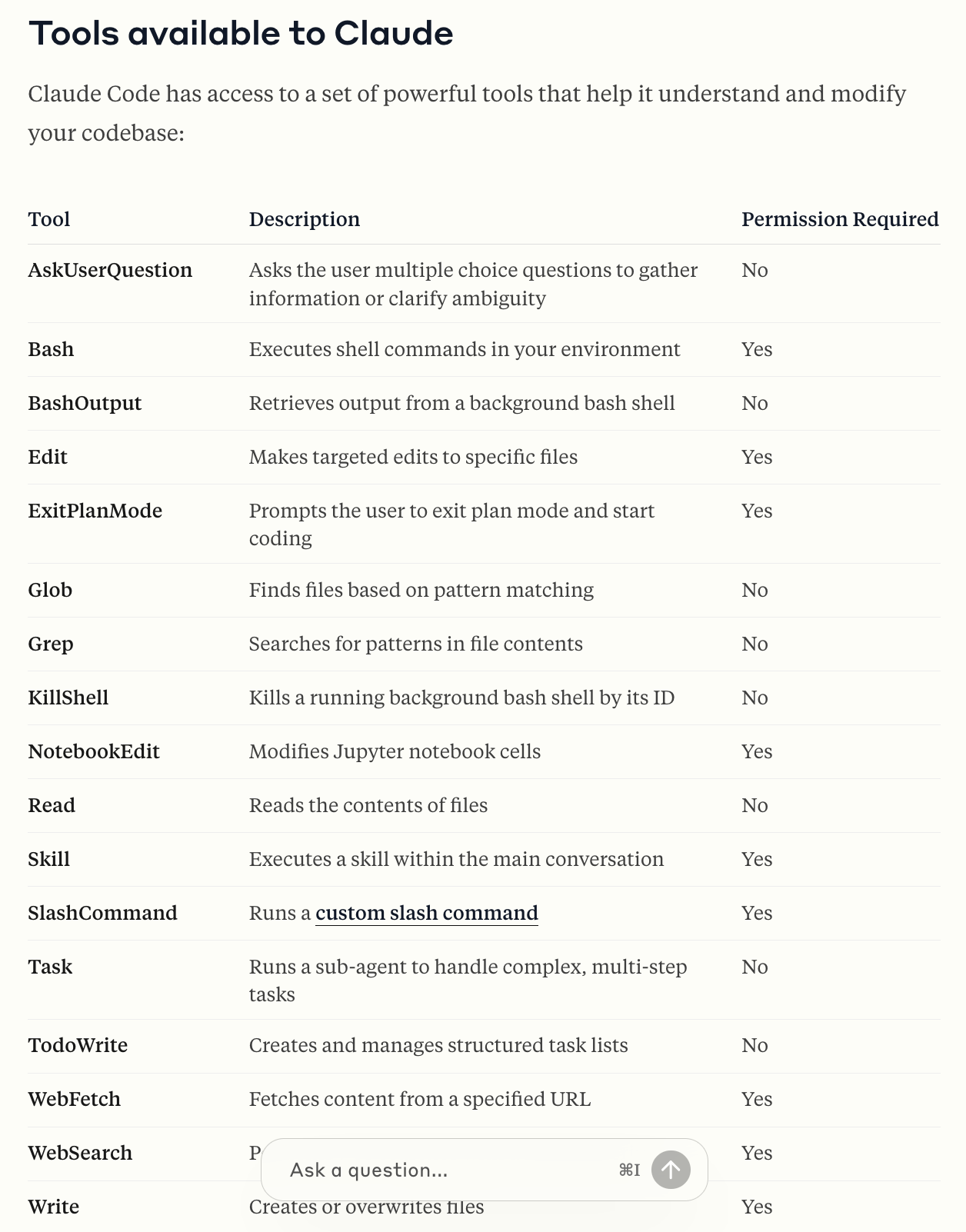
Ideally, we would also like to outsource tool execution to the LLM provider.
And indeed, providers are starting to offer sandbox capabilities through their “Code Interpreter” features.
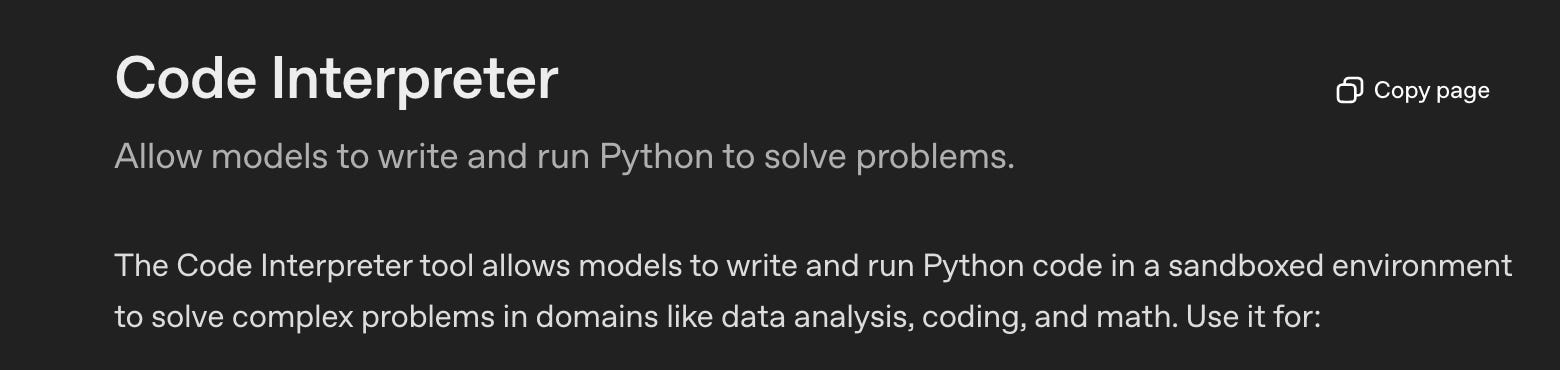
This would be the ideal workflow, but unfortunately you can’t install your own libraries inside these sandboxes, which means you can’t access BSL from within them.
So for now, the only viable approach is to handle tool execution ourselves.
The workflow is then the following:
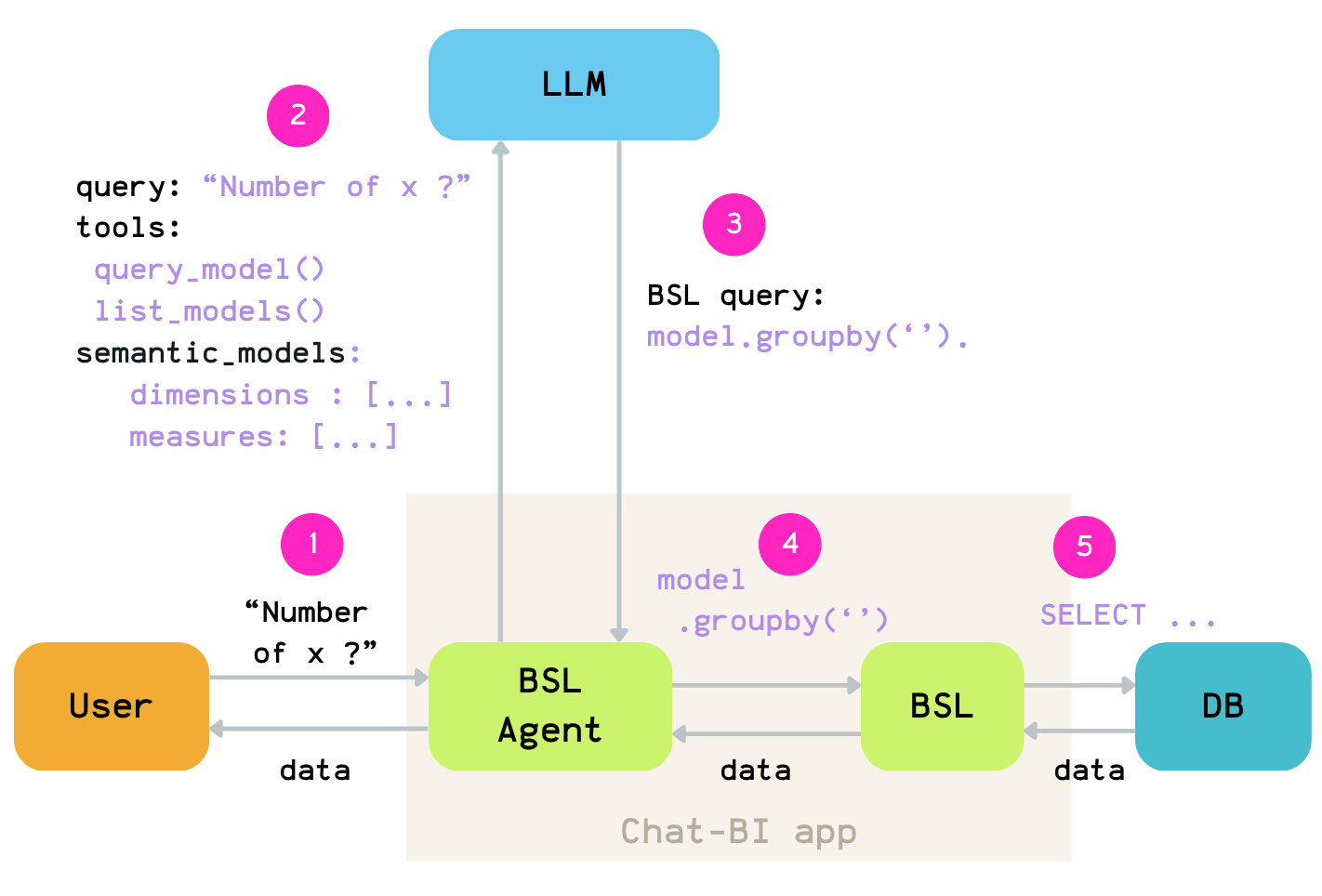
Step 1: Receive a request from the user.
Step 2: Send it to the LLM along with:
the list of tools it can call
the semantic models definitions
Step 3: Execute the tool selected by the LLM.
Step 4: If the LLM chooses to run a query, pass that query to BSL.
Step 5: BSL executes the query, retrieve the result, and return it to the user.
In the case of BSL, we expose four tools:
list_models — lists the available models
get_model — returns the measures and dimensions available for a given model
query_model — executes a BSL query and returns or charts the results
get_documentation — provides a set of prompts the LLM can use for more advanced patterns
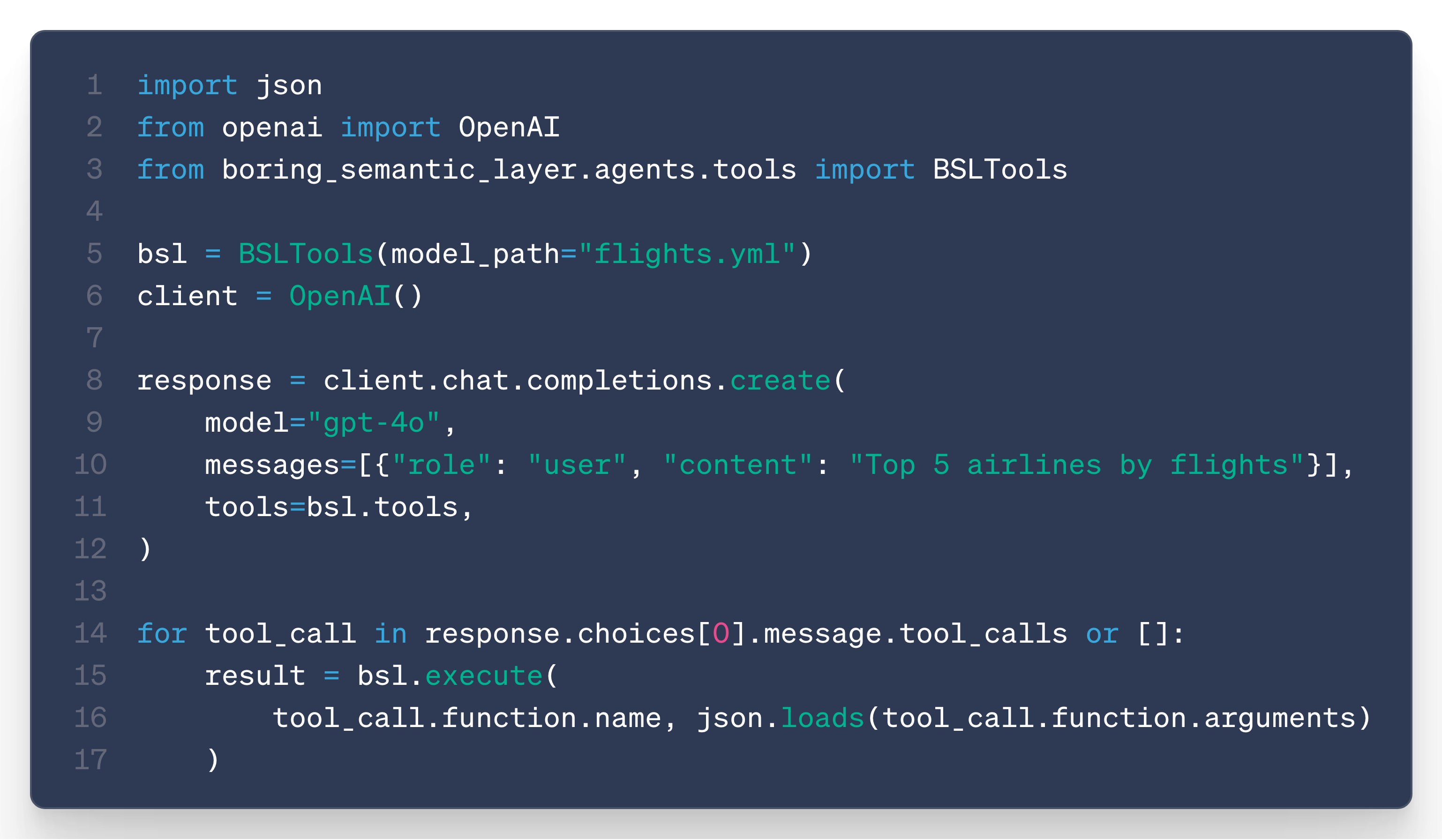
These tools are just JSON definitions following the OpenAI tool format: they describe how a tool should be called and which parameters it accepts.
We wrap them in a dedicated BSLTool class that handles execution for you.
You simply provide your semantic model in YAML—and that’s it.
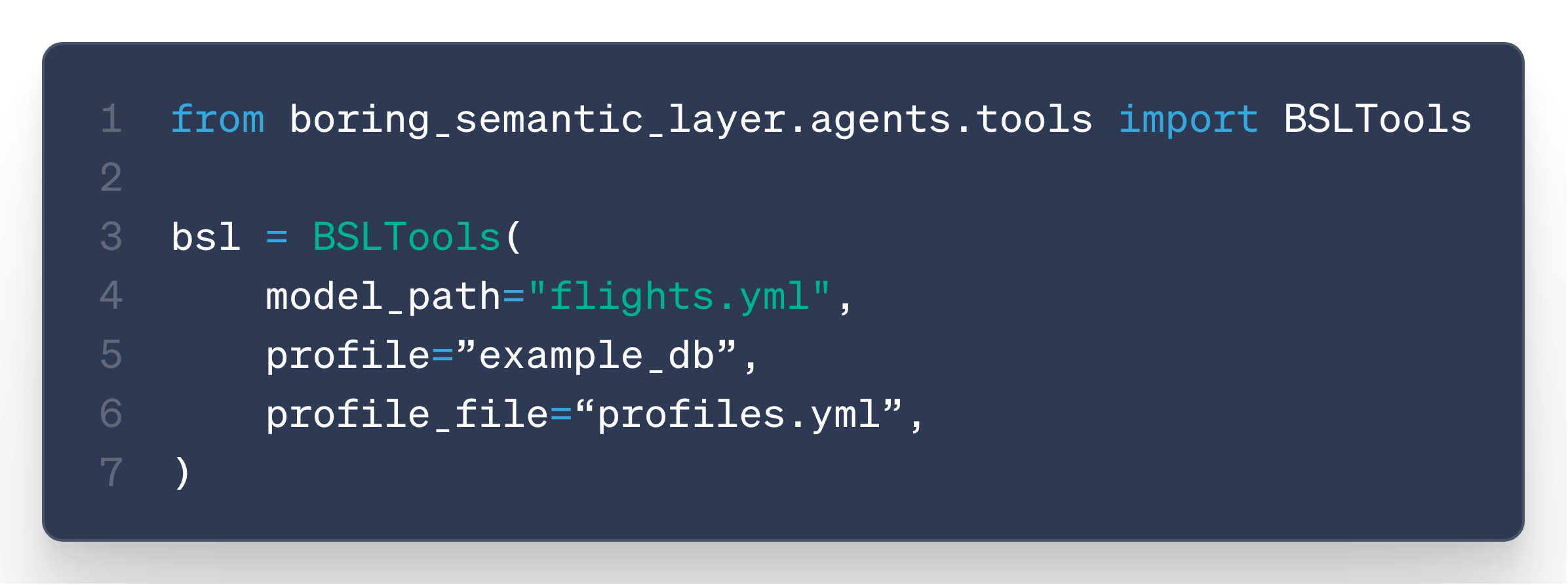
Any LLM can then immediately use these tools to query your database.
You can use it with OpenAI:
Or Anthropic:
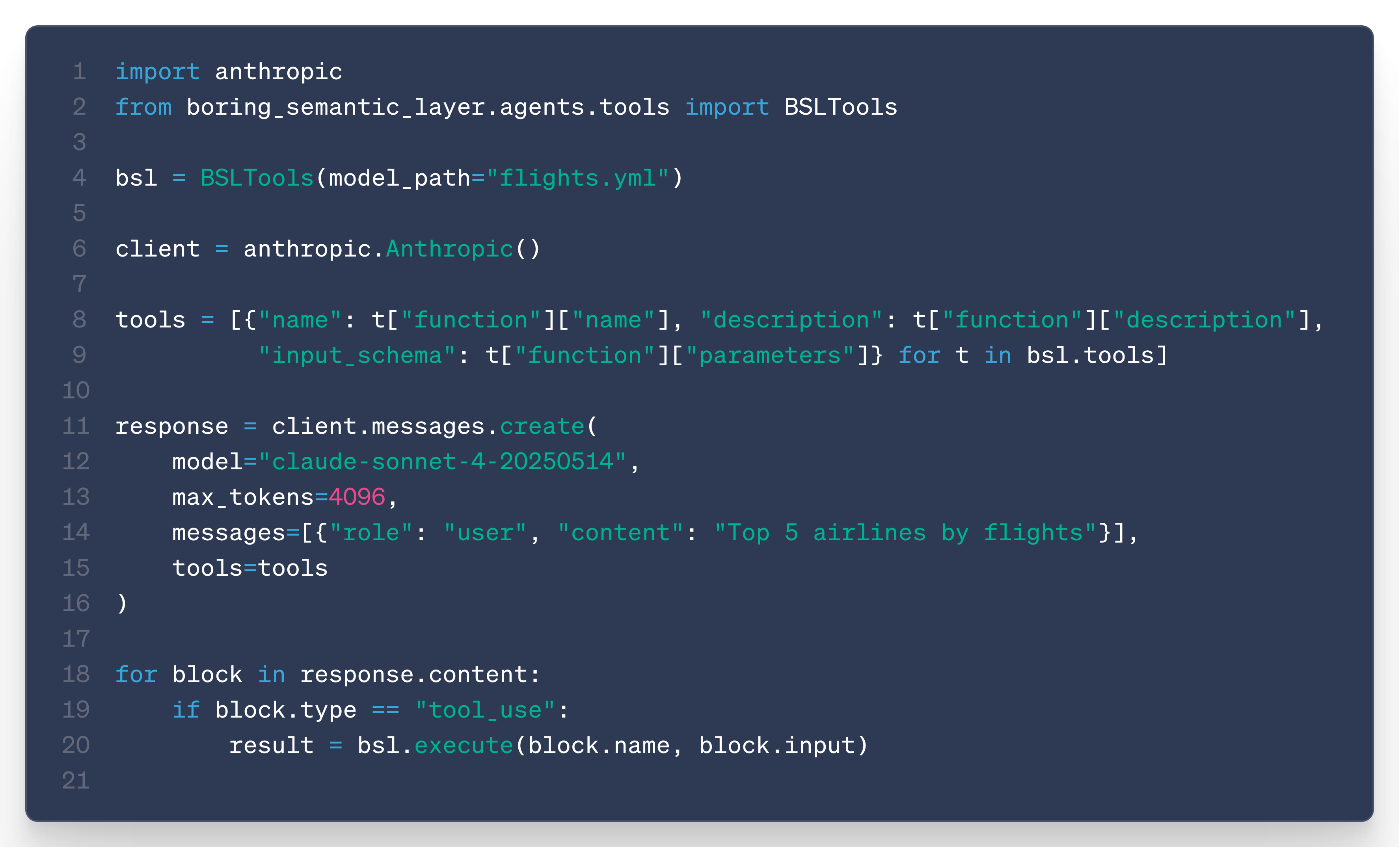
No hosting, no MCP.
Just: pip install + 1 YAML file
… So boring …
From LLM Tool to Chat
Now we can have our favorite LLMs calling BSL queries and accessing your data.
To build a full charting experience on top of this, we also need to manage conversation context, multiple tool calls, and chat history.
Rather than reinventing all of that infrastructure, we rely on existing frameworks that already handle:
LLM provider integration
Conversation history
Chat context management
For now, we started with LangChain/LangGraph.
We’ve implemented a first version of this in the LangGraphBackend class, which is the class used behind the chat CLI command.
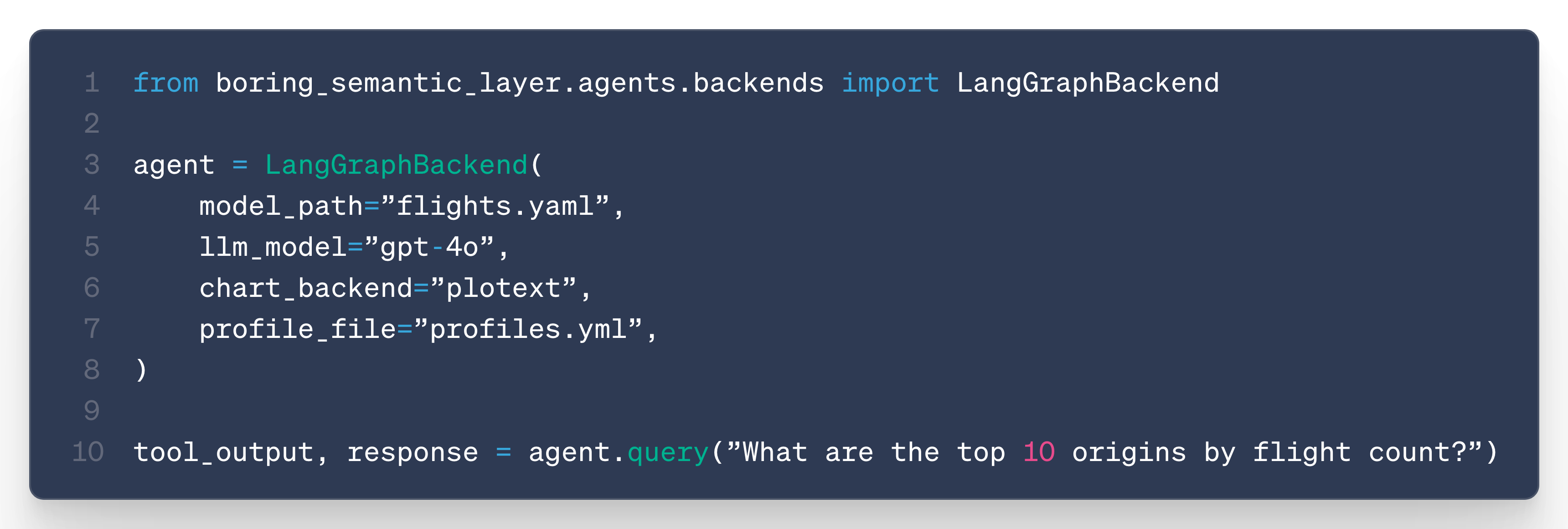
The goal is to extend support to other frameworks as well as the ecosystem evolves.
There’s a lot more to say about this—especially around context management, prompt structure, and how to keep the context small to avoid exploding LLM costs.
We’re still experimenting a lot on these topics and will share our findings in a follow-up post.
Next steps
This agent feature is still quite new, and we’re looking forward to gathering feedback from users to refine the prompts and handle edge cases.
If you find any bug, don’t hesistate to open an issue here.
In the coming posts, I want to share more about context management, eval strategies, and everything I learn along the way while building this.
On the feature side, I’d love to add the following to this v0:
support for local LLMs
out-of-the-box Slack integration
code sandbox support (with only DB and LLM connections allowed)
markdown based analytics report (similar to evidence.dev but with BSL queries)
For the markdown reports, the idea is simple:
write a Markdown document with BSL query blocks,
run it through the BSL CLI,
get a fully rendered HTML report with charts and data tables.
This would allow you to persist the BSL queries generated during a chat session into shareable artifacts.
We are super excited by this new step of BSL.
We’re convinced that BSL is quickly becoming the lightest and most flexible semantic layer solution on the market.
A big thanks to all contributors who helped improve BSL.
If you share our enthusiasm:
Thanks for reading,
Ju
Incredible work, as always <3
A very nice way to get up and running with an Agent! I'm interested to see how you handle long chain conversations. Will you need to cache KV pairs and prompts or is there a more "boring" way around that. Looking forward to seeing what you put together!