
Launching Boring UI
A Newcomer in the Boring Constellation

I’m happy to announce the launch of my latest boring product :)
After:
boring catalog: open source iceberg catalog
boring data: Terraform data stack templates
boring semantic layer: open source semantic layer
Welcome Boring UI to the boring galaxy: an open source framework for shipping agent-centric apps.
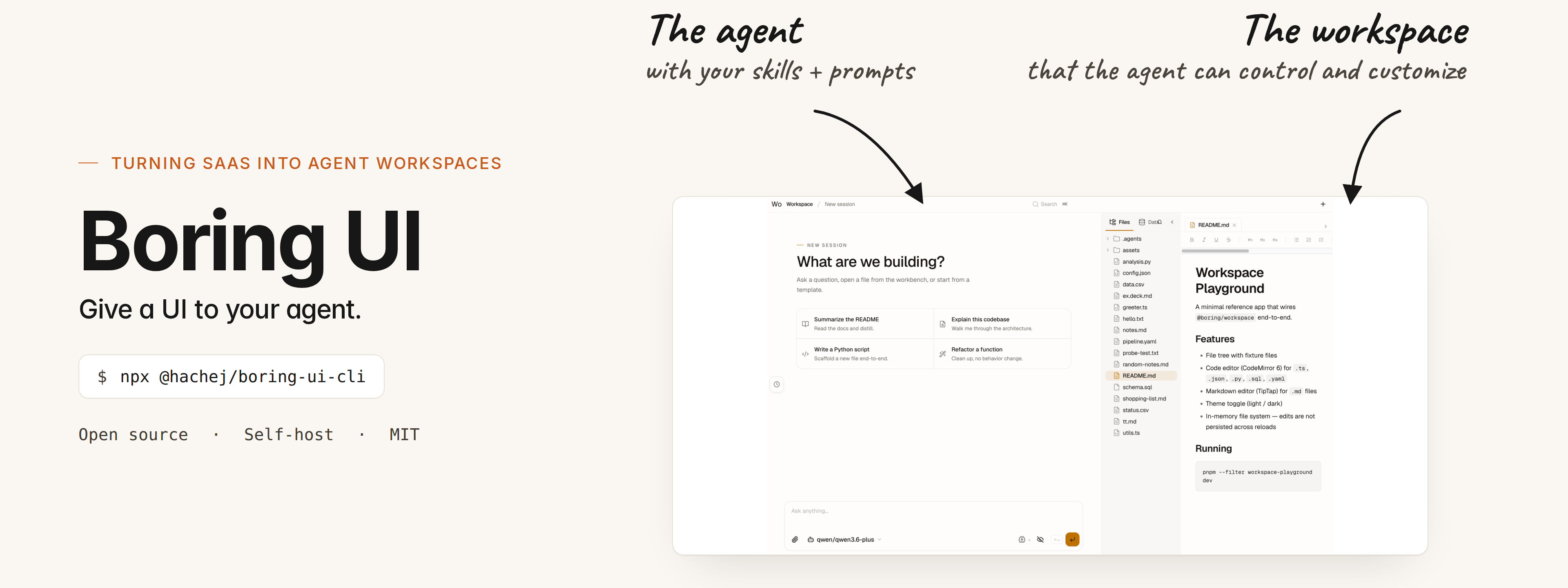
If you like the project, it would really help to star the repo ⭐
I’m a bootstrapped solo developer with limited resources, and every star helps the project gain visibility and credibility :)
Thank you !
The Why
Since the beginning of the year, I’ve spent a lot of time digging into the agent space.
AI can now understand user intent and act on it. And that completely changes how we build tools and interfaces.
For the first time, interfaces can become truly minimal and “boring”.
Boring because the interface can just be reduced to just two things:
an agent chat on the left
a workspace on the right (~ mini IDE)
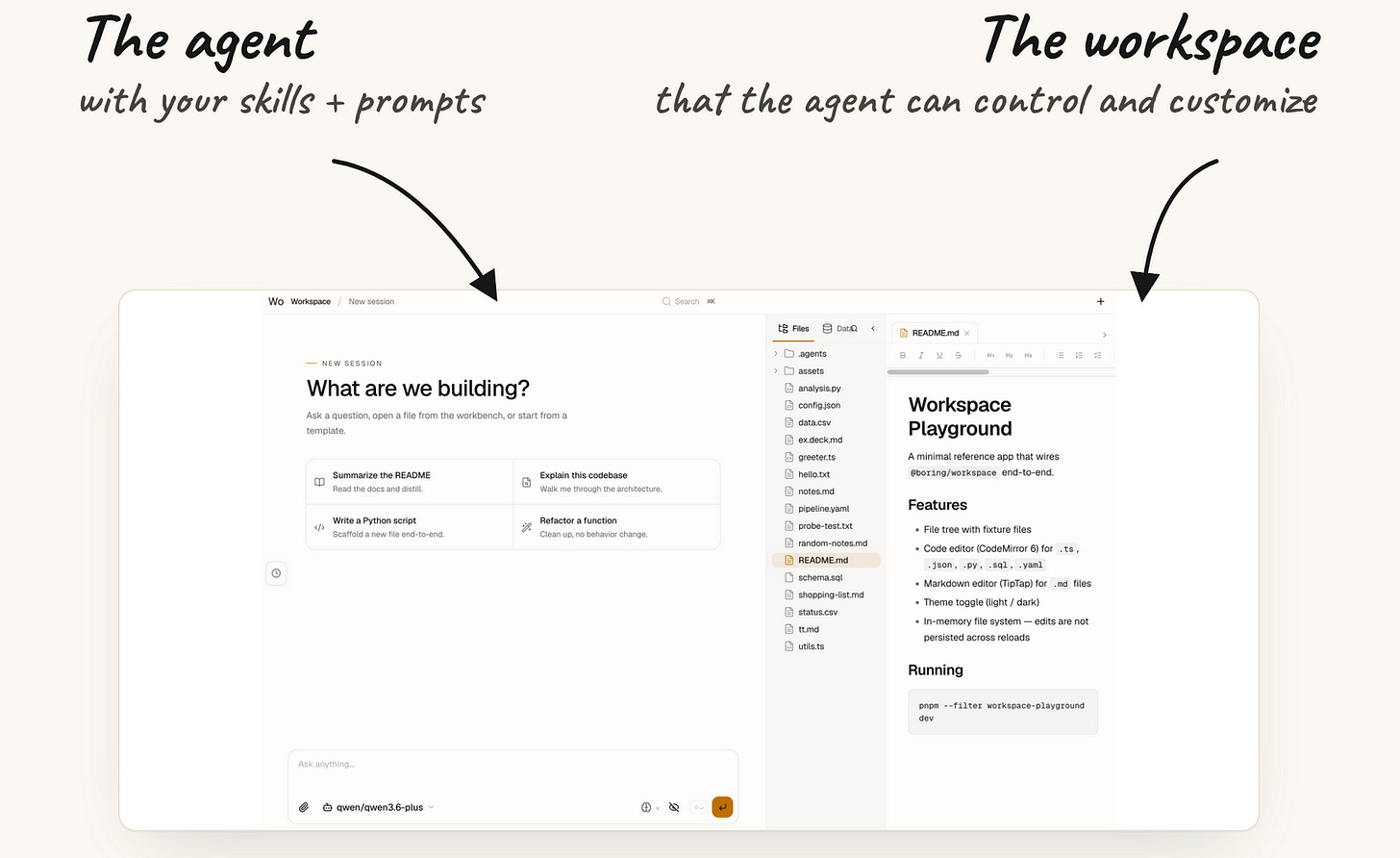
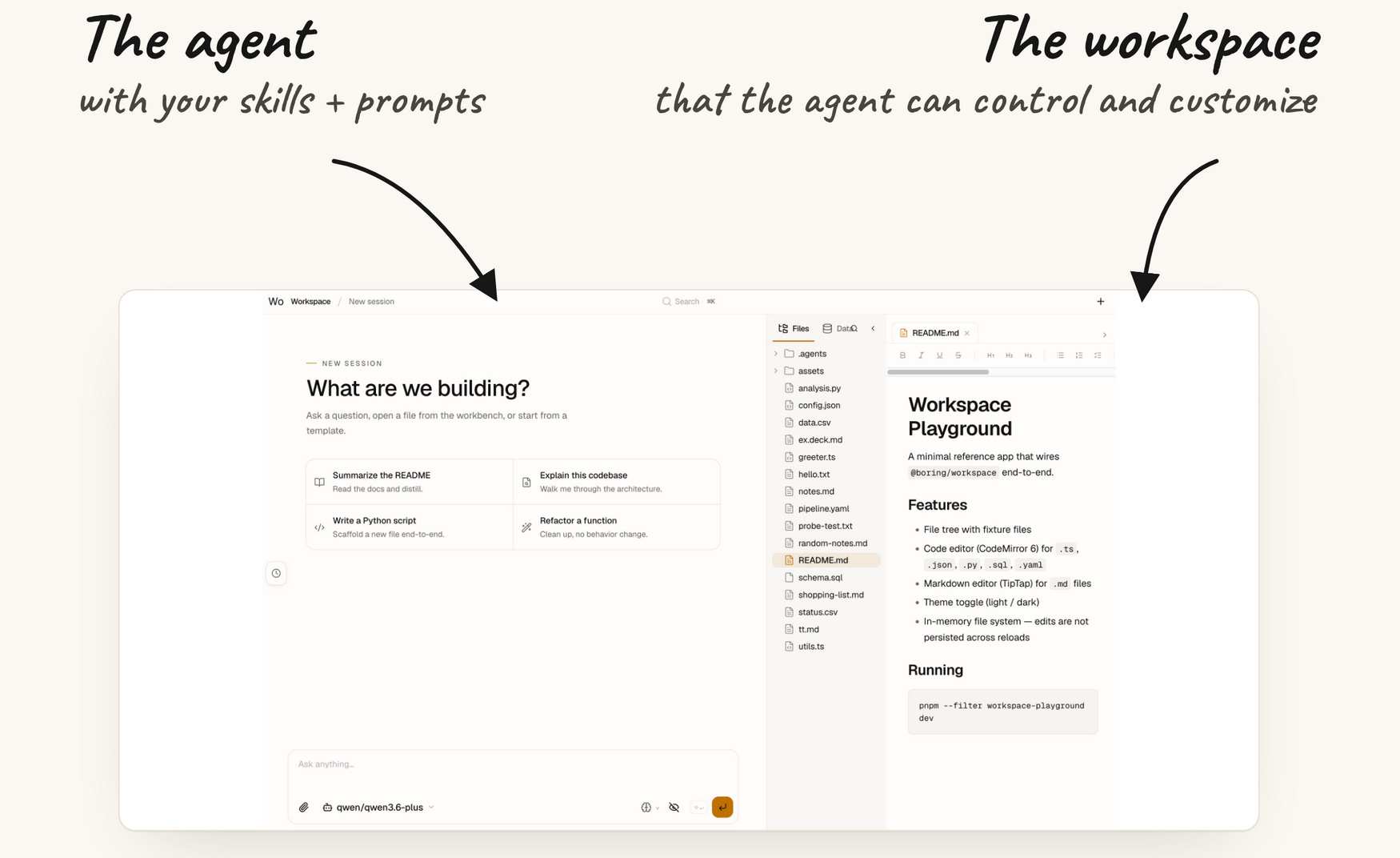
I’ve already started seeing this pattern emerge across multiple products, and I think it’s slowly becoming the standard way to build software.
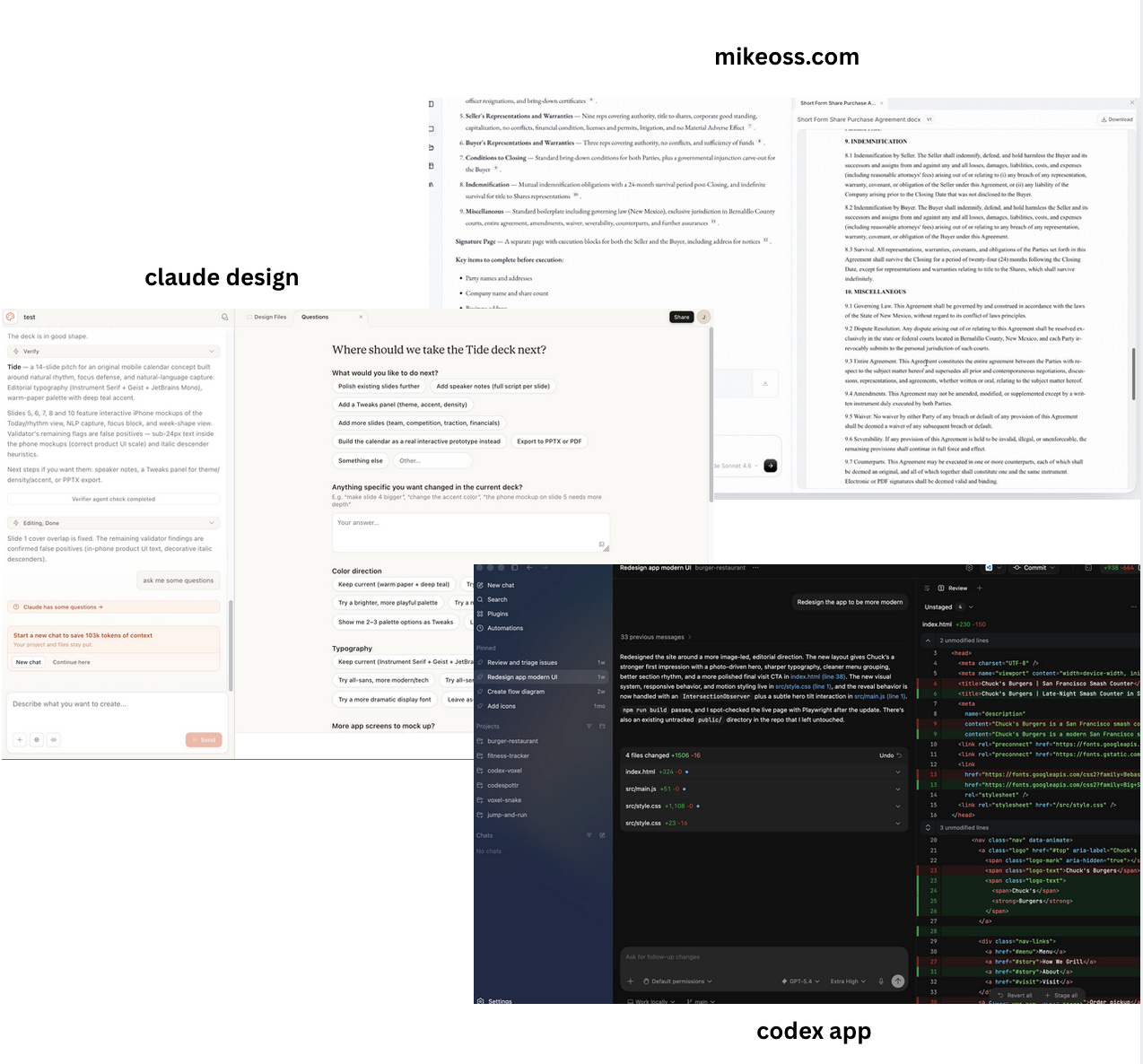
Boring UI provides the foundation for building these kinds of agent-centric applications: a unified agent + workspace model that can adapt to virtually any use case.
I wrote about this back in February, when I shared the three things I believed would bring the most value in the AI era. One of them was “IDE for X.”

After many iterations, Boring UI became the expression of that vision:
A simple (and boring) web-based mini IDE that lets anyone leverage the power of coding agents … without needing to interact with code directly.
You can see it in action here:
Try it
Boring UI is designed for building hosted agent-centric apps.
But it also runs fully locally: no auth, no database, no setup complexity.
Just a stateless agent + workspace running directly on your machine.
To get started:
export OPENAI_API_KEY=
npx @hachej/boring-ui-cli
Boring UI uses Pi as the agent harness (more on this in the next section), so you simply need to configure LLM access through environment variables (ANTHROPIC_API_KEY, OPENAI_API_KEY) or via a pi LLM provider.
Once configured, you instantly get a UI + agent connected to the folder where you launched the CLI.
Pi and therfore Boring UI is provider-agnostic and does not lock you into a specific model vendor. You can use virtually any LLM:
commercial APIs
open-source models
fully self-hosted LLM infrastructure
Yes, this means you can plug in your Codex Pro plan (though not your Anthropic Max plan).
Build on PI
When building Boring UI, I was heavily inspired by the Pi project.
It’s an open-source agent harness that is super lightweight and built to be highly extensible.
I also really connected with the vision and philosophy of its creator Mario Zechner, which pushed me to adopt Pi as the core harness behind Boring UI.
I won’t go too deep into the technical details, but I wanted to give a quick overview of how Boring UI is structured.
At a high level, the system is organized around four main components:
Web Frontend → chat + workspace UI
Web Backend → API layer shared by both the frontend and the agent tools
Pi Harness → agent runtime
Sandbox → isolated filesystem + execution runtime
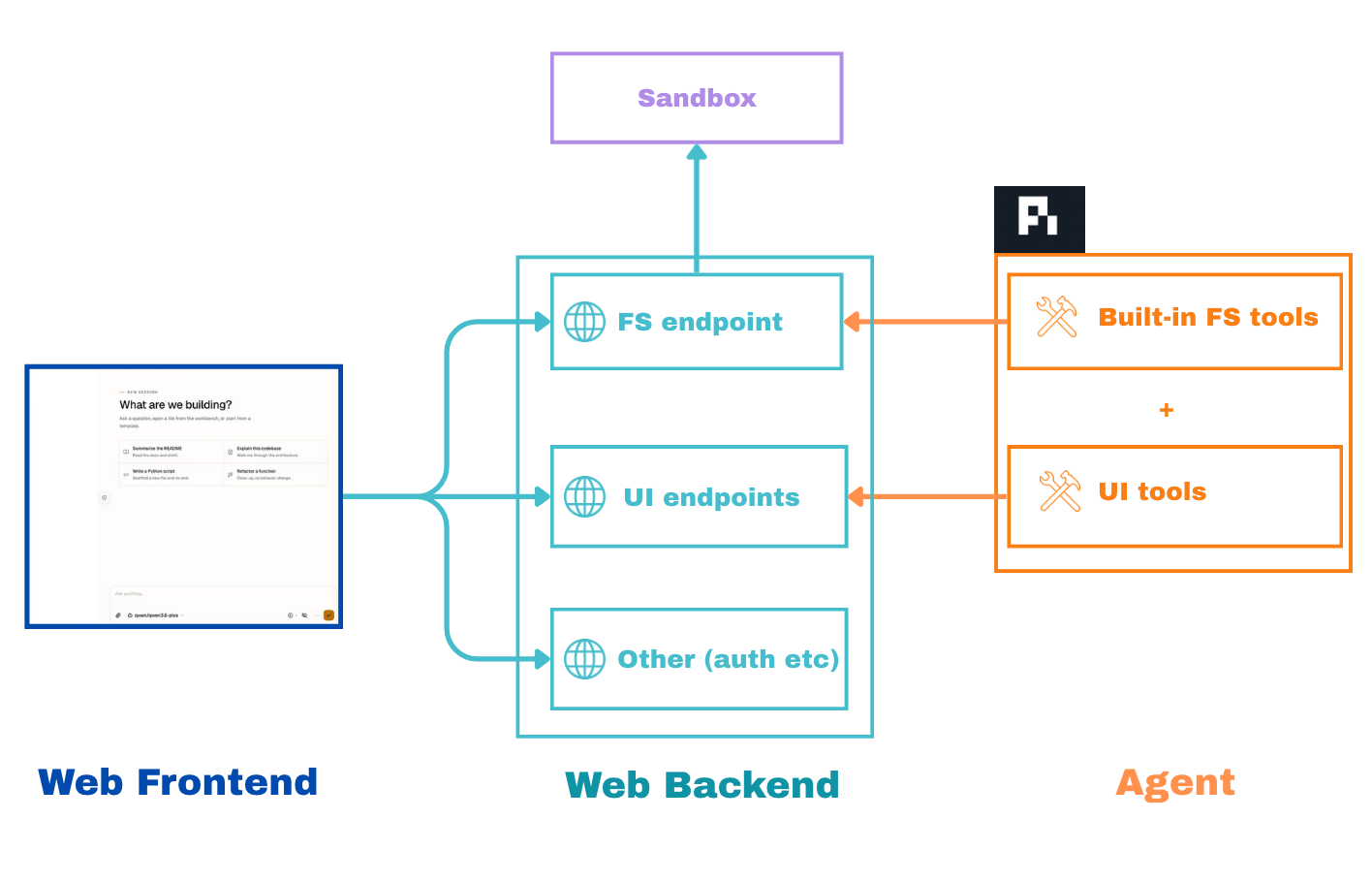
One important design axiom I had from the beginning was that the agent and the user should interact with the same core primitives through the same interfaces.
For example, there is a single file API shared by both:
the frontend file tree
the agent filesystem tools
The same applies to the UI itself: the agent sees the workspace the same way the user does and can interact with it through dedicated UI tools.
Using Pi made this architecture possible because I could integrate it directly into my backend through its Node.js SDK, while still being able to deeply customize its tools and interfaces.
For example, I was able to override the filesystem tools so they interact with the sandbox system configured by Boring UI.
Currently, Boring UI supports the following sandbox isolations:
local and 0 isolation :)
local with
bwrapremote Vercel sandboxes
And soon more: Kube, Bedrock AgentCore etc
Extensible: Boring Plugins
One of Pi’s biggest strengths is its extensibility.
Anyone can publish a package to extend Pi with custom prompts, skills, and tools.
I wanted Boring UI to fully leverage that ecosystem instead of reinventing it.
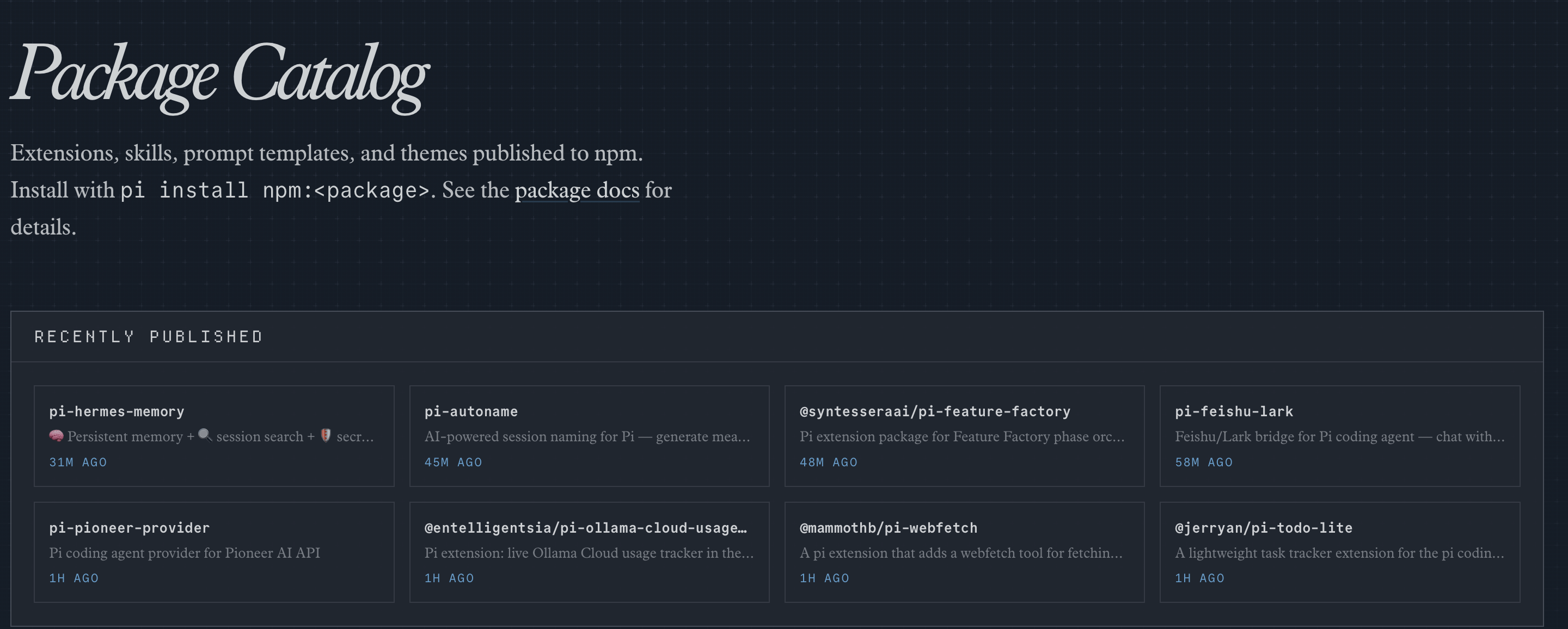
So rather than creating yet another plugin model, Boring UI simply extends the one Pi already provides.
Pi plugins focus on the agent layer:
prompts
skills
tools
slash commands
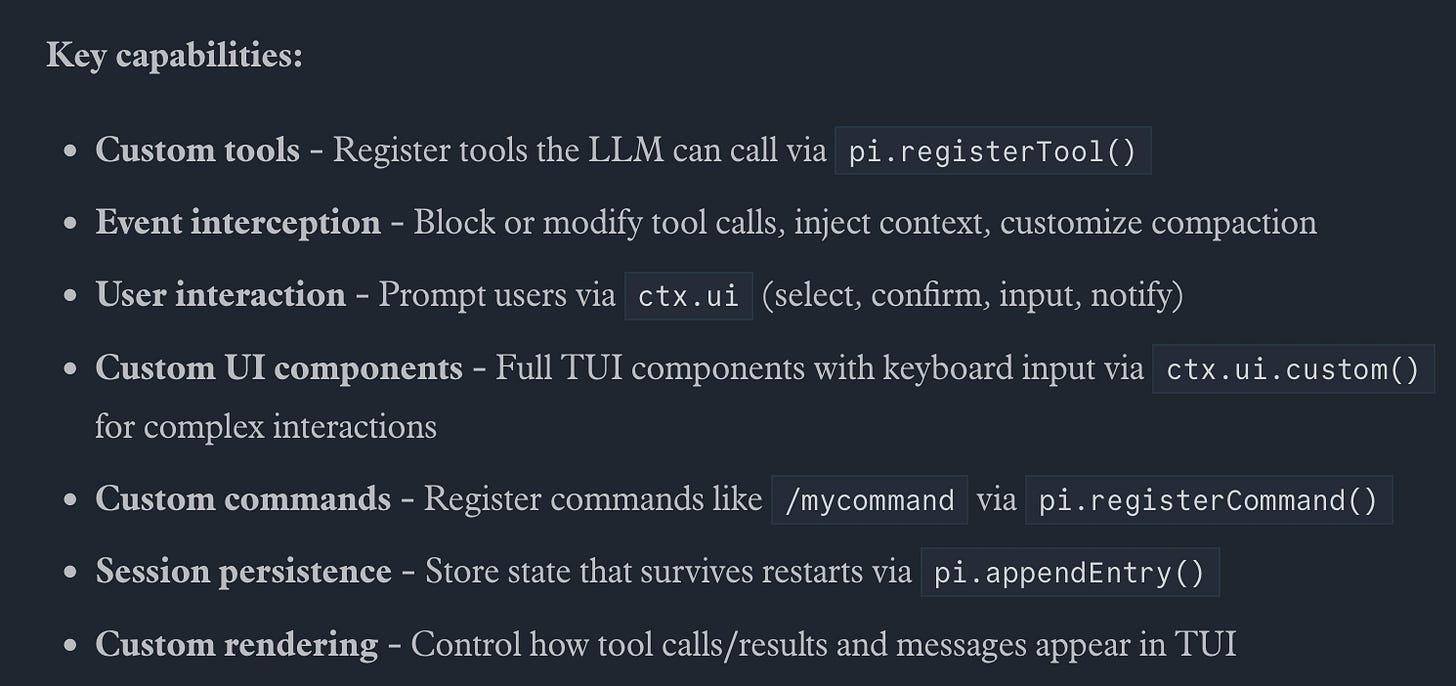
Boring UI adds a UI layer on top of them with concepts such as:
panels
command palette actions
UI events
catalogs
The two layers are fully compatible: any Pi plugin works out of the box inside Boring UI.
In practice, a plugin is simply a Node package with two manifest blocks:
pi.*→ agent side: prompts, skills, toolsboring.*→ UI side: panels, commands, catalogs, surface resolvers
Example of package.json:
{
  "name": "my-plugin",
  "keywords": ["pi-package"],
  "pi": {
    "extensions": ["agent/index.ts"],
    "skills": ["agent/skills"],
    "prompts": ["agent/prompts"],
    "systemPrompt": "Short agent guidance."
  },
  "boring": {
    "label": "My Plugin",
    "front": "front/index.tsx",
    "server": "server/index.ts"
  }
}
This makes customization extremely flexible.
You can install any existing Pi plugin directly to customize the agent’s behavior.
And if needed, you can progressively enhance that same plugin with Boring UI capabilities like custom panels, commands, or interactive UI surfaces.
Plugins also compose naturally: multiple plugins can coexist side by side, or shared primitives can be wrapped into reusable packages.
I already have a few plugins in the repository:
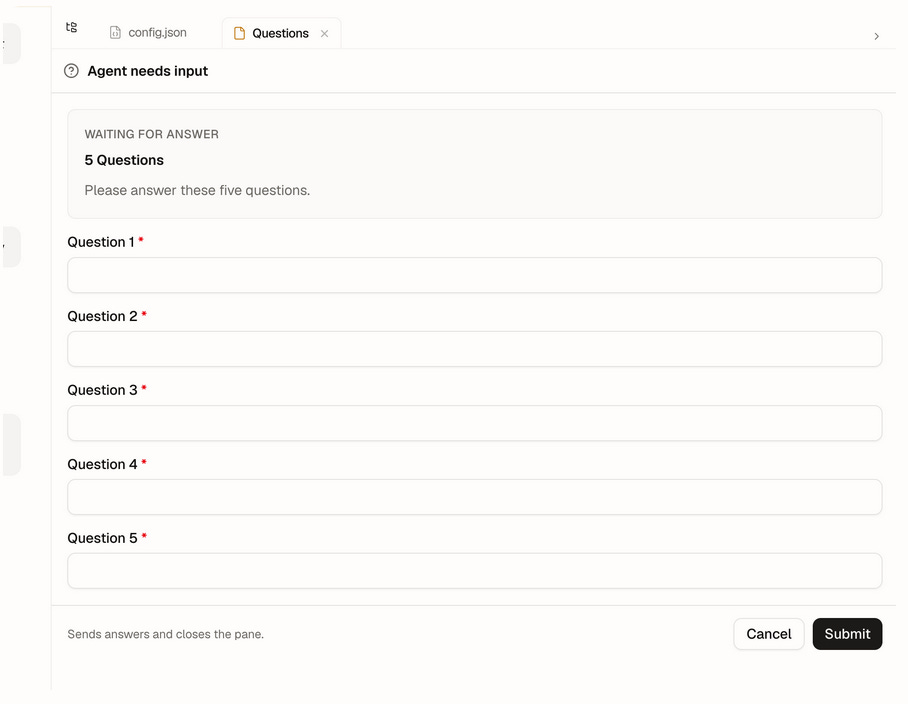
ask-user → Agent-to-human Q&A with a UI prompt
data-catalog → Catalog tab built on data-explorer

deck → Plugin to let the agent create html slide deck.
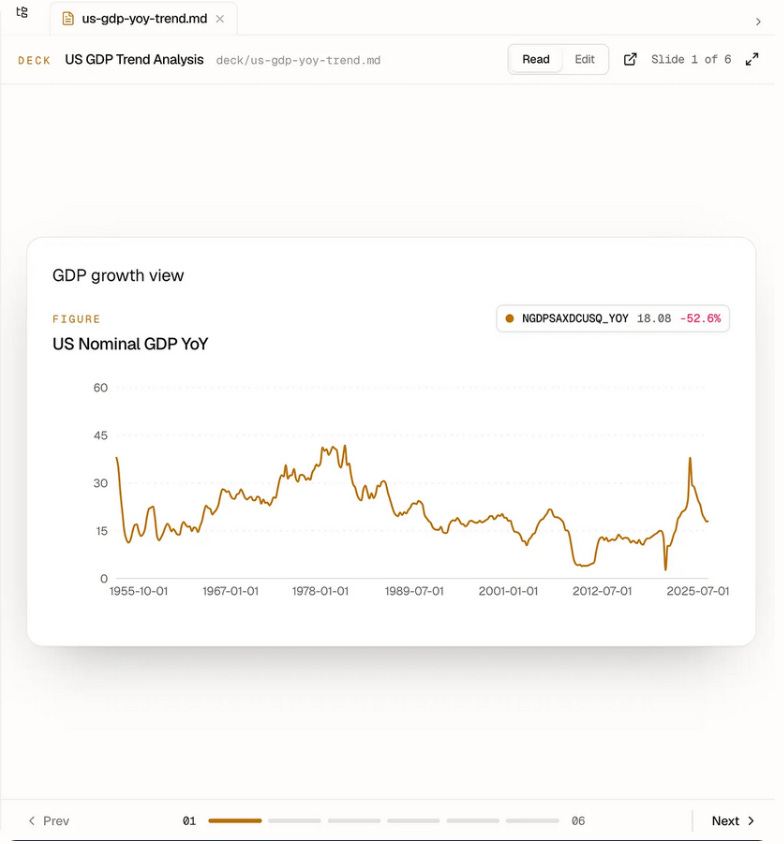
Install them in your Boring UI project and you instantly get those capabilities.
I have 10s of ideas for plugins that could emerge from this model:
Kanban boards
LLM-powered wikis / second brains
orchestration interfaces
observability dashboards
workflow builders
openclaw like daemon
Built with boring-ui
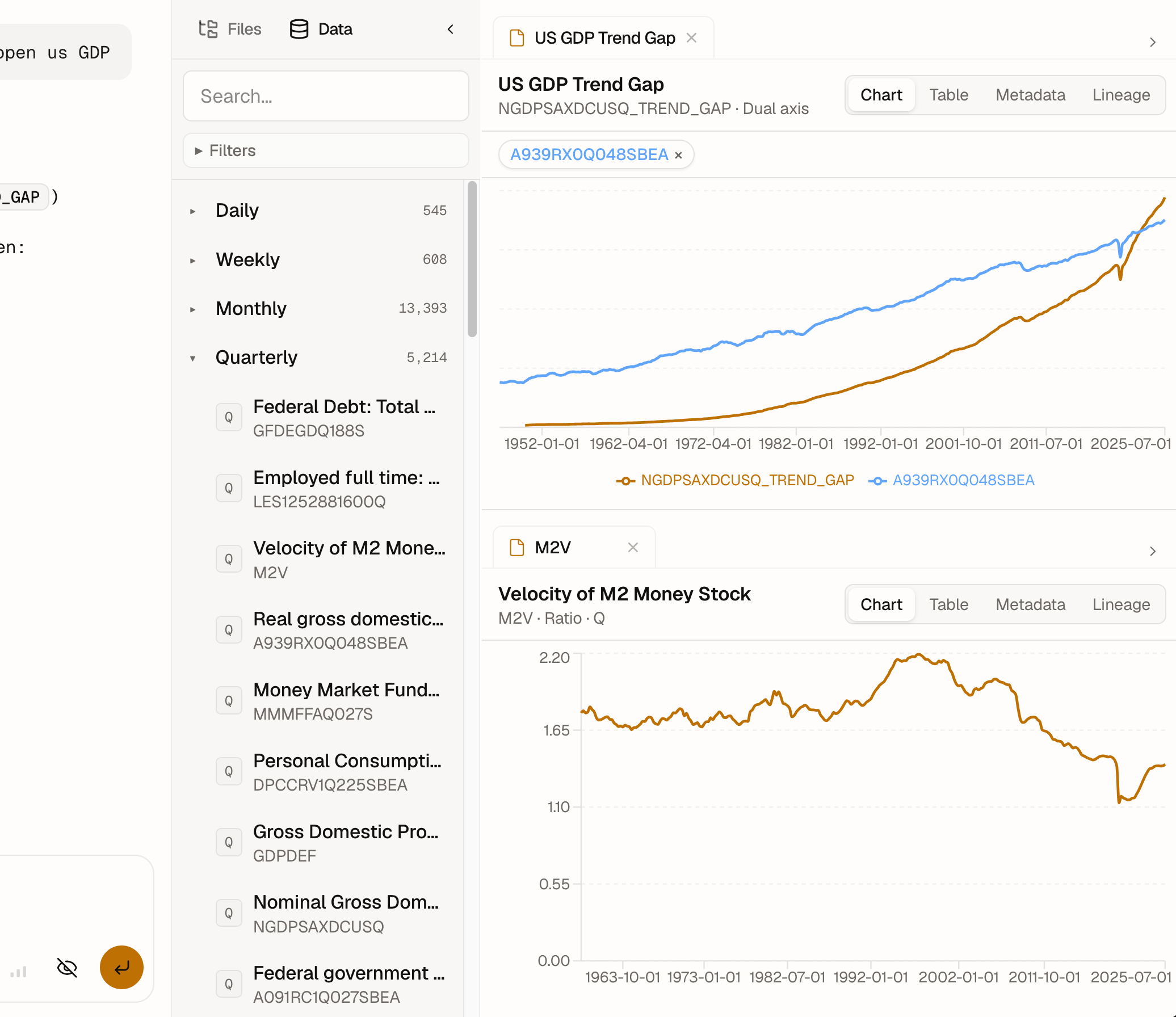
To demonstrate the power of this setup, I built a first custom app: boring-macro.
It’s an agent for macroeconomic research.
Note: the app is invitation-only for now, mainly because I haven’t implemented billing yet.
The agent has access to economic series like GDP, employment rates, prices, and more.
It can explore data, perform ad hoc transformations, visualize series, and even generate slide decks.
What’s interesting is that the entire app is implemented as a single Boring UI plugin.
Under the hood, the plugin includes:
a custom skill to guide the agent’s behavior
a custom SQL tool to query macroeconomic data
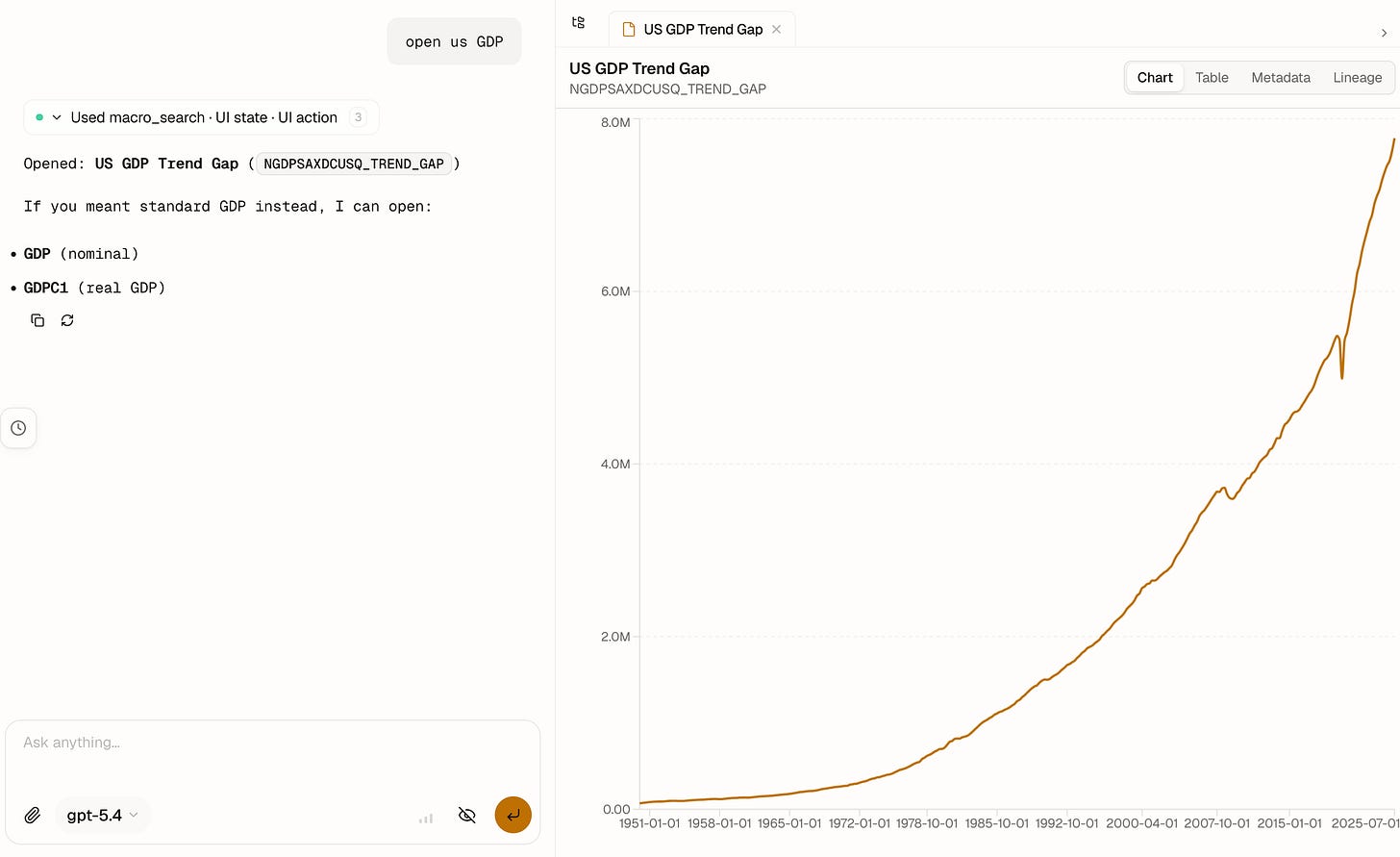
a custom component to explore visualize time series in the workspace
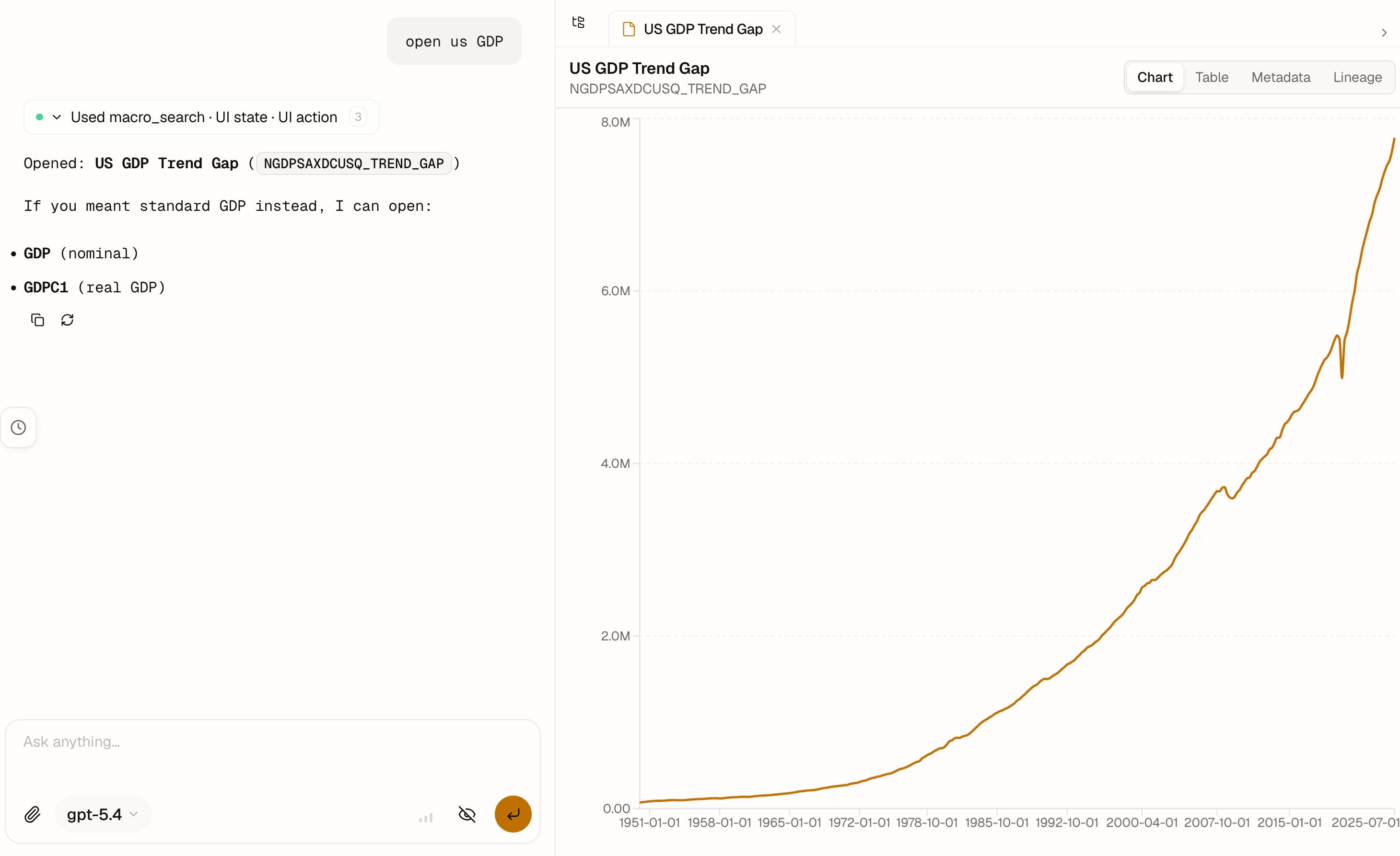
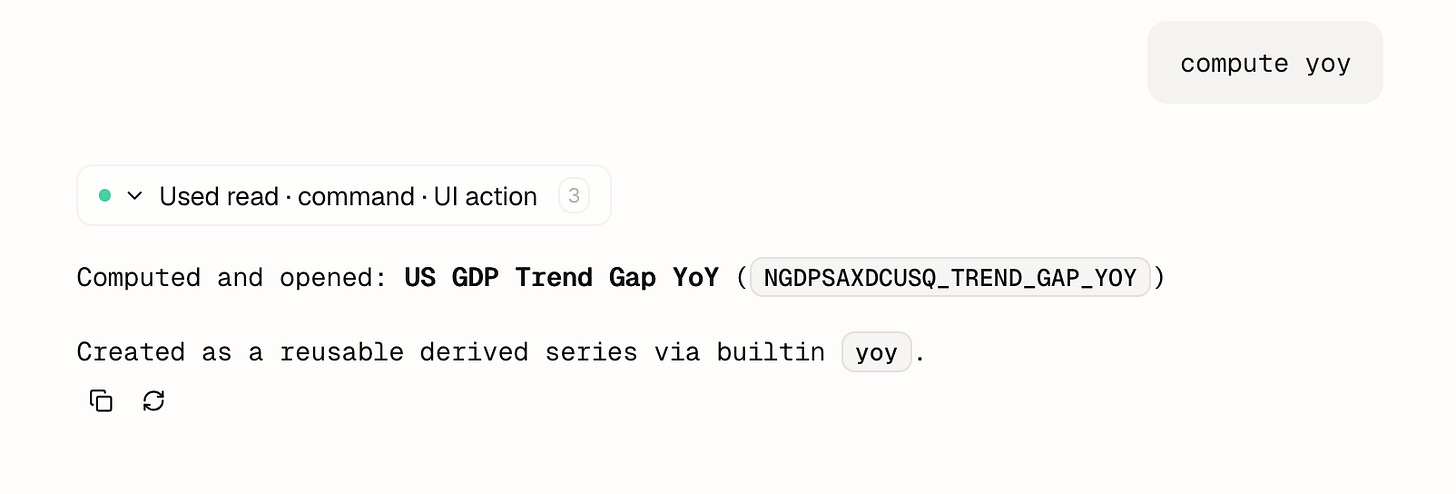
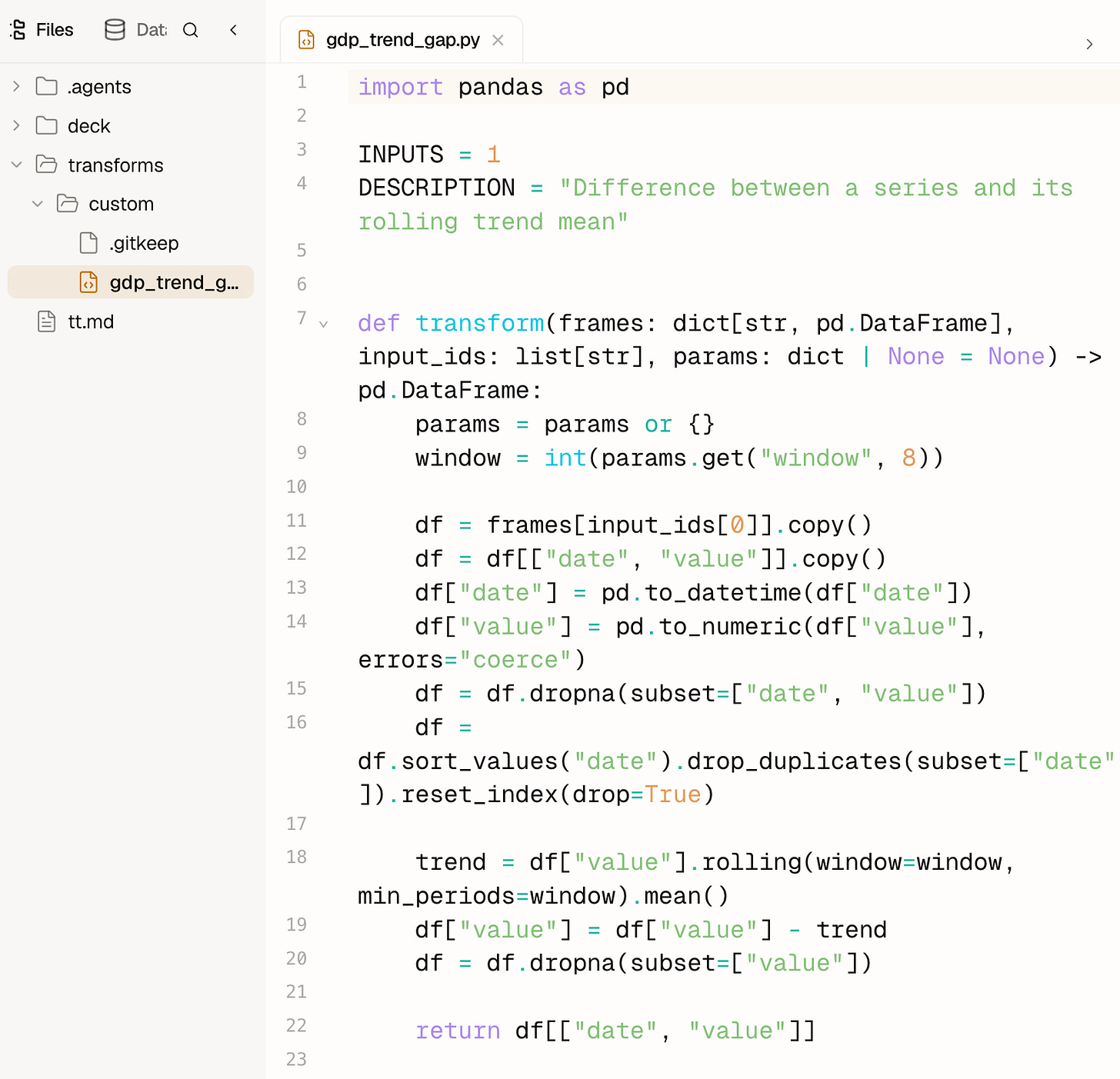
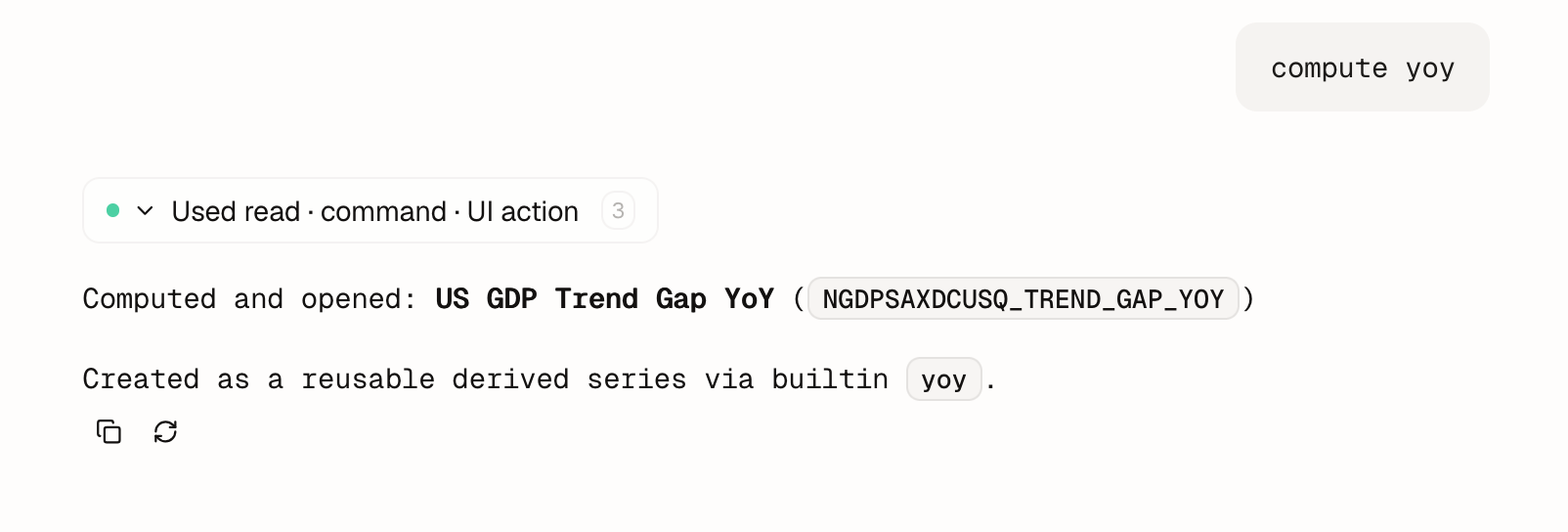
a custom CLI + SDK to help the agent generate Python transformations of time series
the deck plugin to render HTML slide decks in the workspace
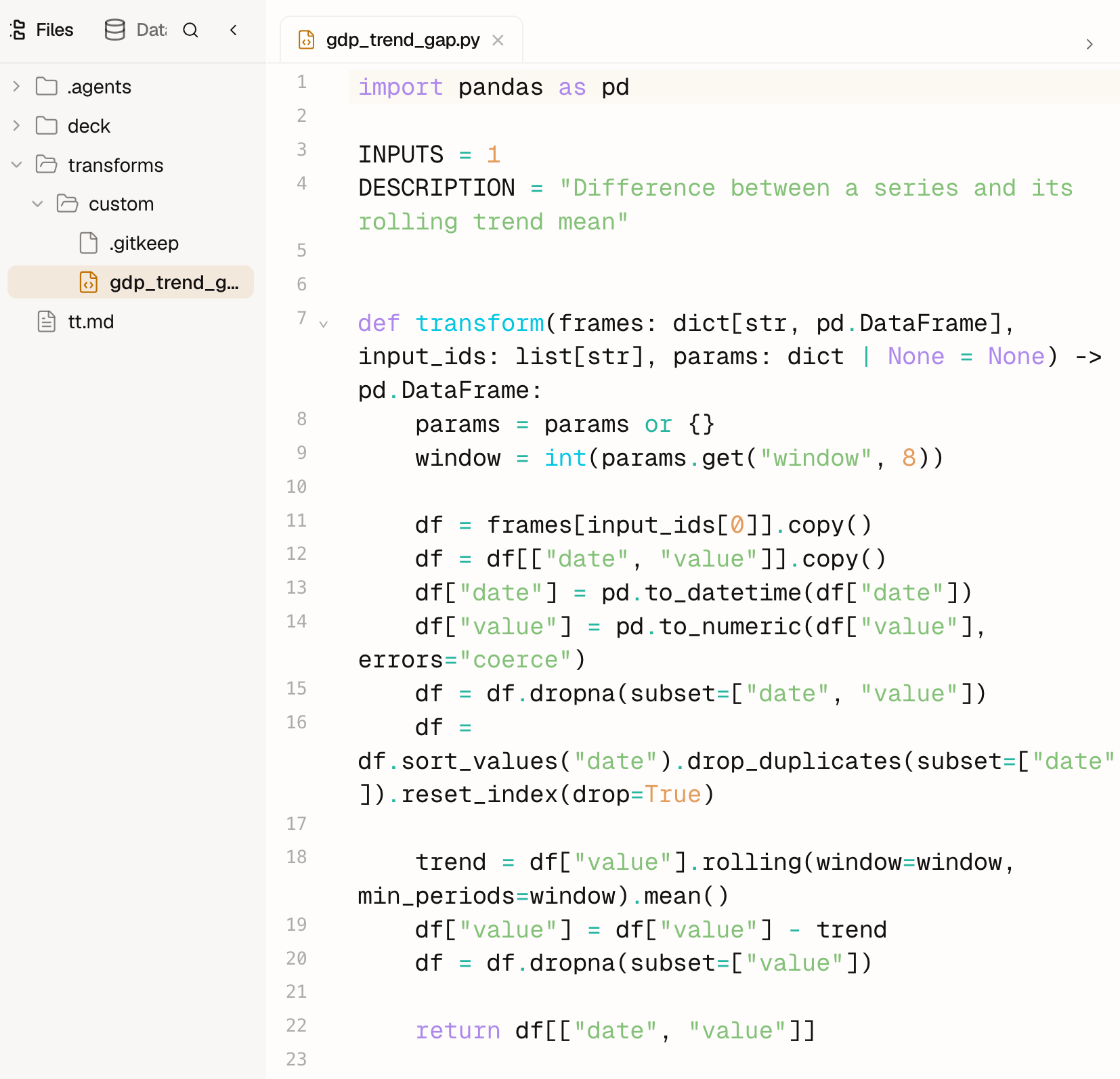
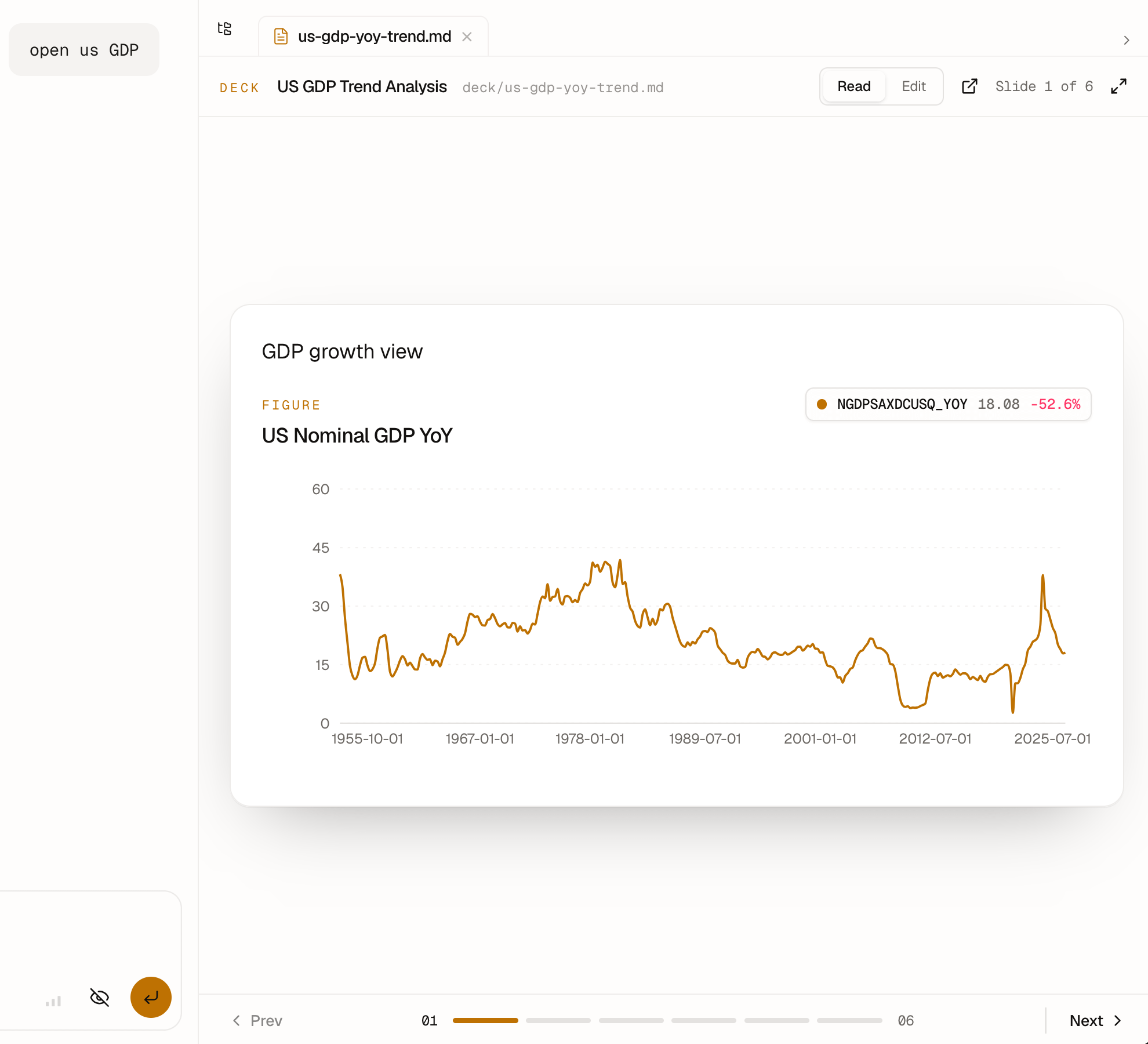
I think it’s a good illustration of how far you can go with this model: from data access, to analysis, to visualization, to presentation generation…
THE next feature: hot reload
The next feature I’m excited about is self-buildable UI.
If the agent already has filesystem access, there’s no reason it shouldn’t build its own plugins.
Users could start from a few UI primitives and let the agent create custom skills and panes tailored to their workflows.
That’s exciting because it makes apps even more boring: you ship primitives, the agent handles the last-mile customization.
Right now, plugins are loaded at build time and only reloadable in development.
I’m working on dynamic hot-reloading inside the app so agents can eventually create and evolve their own UI surfaces in real time.
Demo of the agent creating and editing a csv viewer plugin:
Vision
This is still the initial version of Boring UI, and the project is actively evolving.
I already use Boring UI internally for many things in my company:
accounting
project: md report edition
coding: agent plans review
It’s just so much nicer to have a clean, unified UI instead of a collection of TUIs scattered across terminal sessions.
Long term, I imagine Boring UI evolving into a skill-sharing platform.
A place where domain experts can share skills, UI primitives, workflows, and packaged knowledge.
It’s still early.
But I’m genuinely very excited about where this can go.
I hope you’re as excited about this project as I am :)
Again, if you like the project, it would really help to star the repo ⭐.
I’m building this project independently, and every star makes a huge difference.
The possibility of shipping custom agents in a matter of days with Boring UI opens the door to many kinds of collaborations.
I’m actively looking to work with:
companies interested in deploying custom internal agents
domain experts interested in partnering to build vertical agent-native apps together
If that sounds interesting, feel free to reach out.
Thanks for reading,
- Ju
